Audit trail
The API records every action on the panel in <API_LOG_DIR>/audit.log. Only admins can consult it, and nobody can change it from the panel.
What is recorded
| Kind | Examples |
|---|---|
| Authentication | Logins, logouts, failed logins, accounts created at first login |
| Containers | Container and stack actions, shell, logs, file tail, port proxy, file copies |
| Administration | Users, API keys, scheduled tasks, SFTP users, websites, managed services, private networks, functions |
| Function invocations | function invoked: one entry per function and per minute, with the count, errors and users; never the event or the response |
| Every write request | api request: method, path, status, user, API key id, client IP |
| Every refused request | access denied: 403, or 401 with an API key |
| Sensitive reads | Container inspection (shows environment variables), site settings, file downloads and tails |
| The trail itself | Each consultation (audit trail viewed) |
What is never written:
- No secrets: no password, token, header or request body.
- Text values are cut at 2 KB.
- Anonymous refusals are grouped to one entry per IP and per minute; unknown routes are ignored. An anonymous client cannot flood the trail.
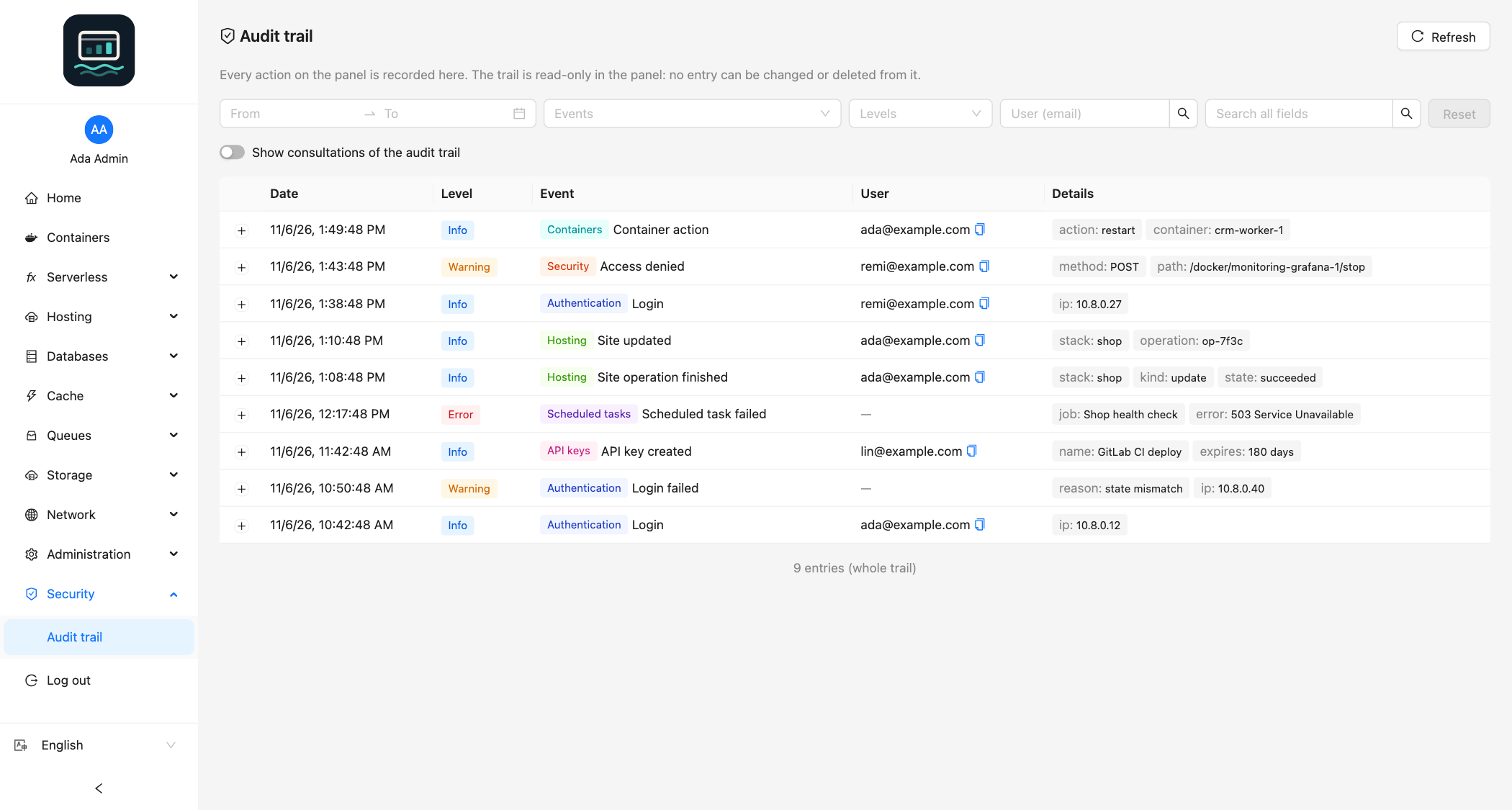
Each line is a JSON object: time, level, msg (the event) and structured fields.
Consult it
In the interface
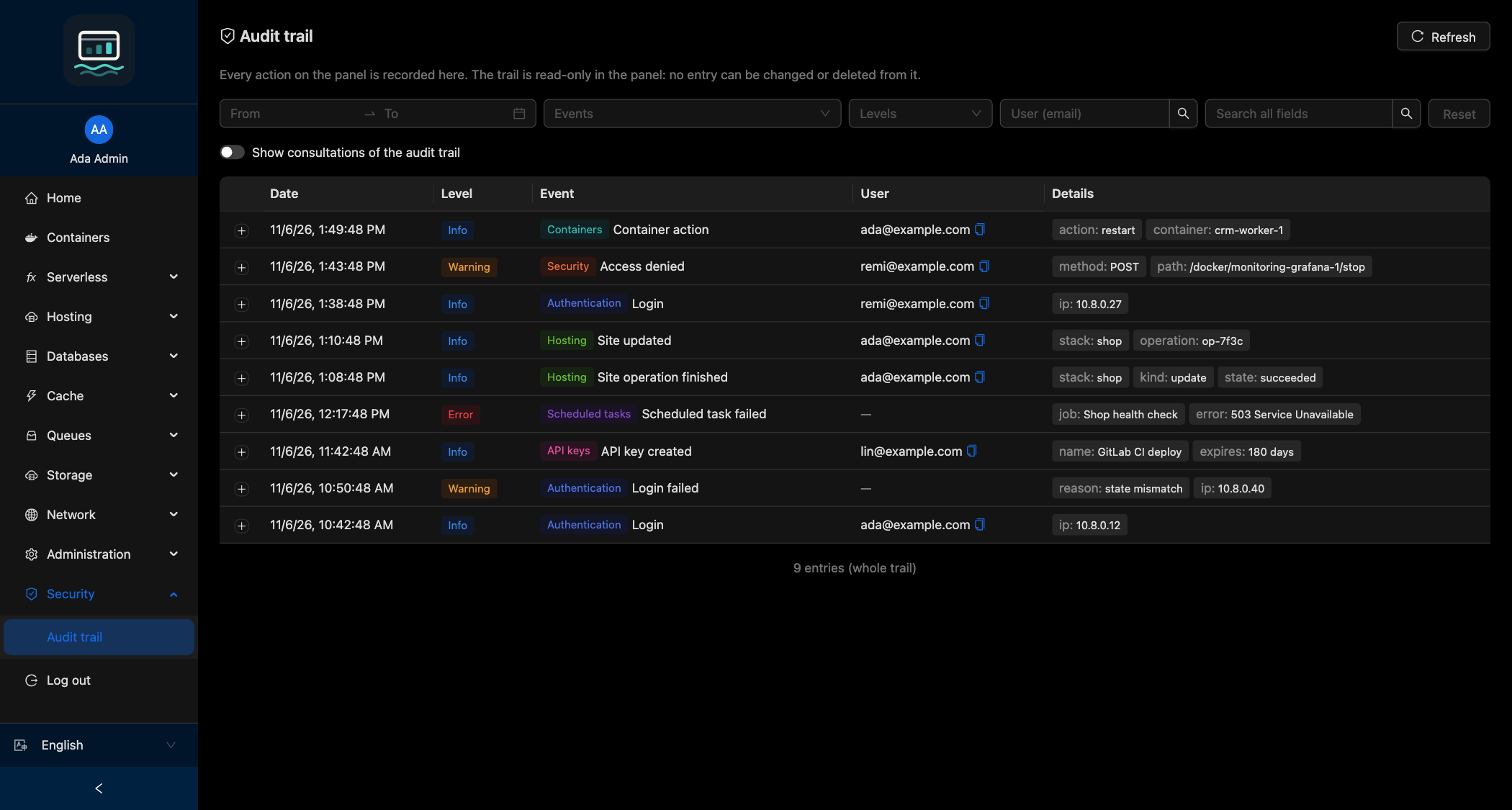
- Open Security → Audit trail.
- Filter by Date range (shortcuts: Last hour, Last 24 hours, Last 7 days, Last 30 days), Events, Levels and User (email), or type in Search all fields.
- Click Load older entries to page back.
Consultations of the trail are hidden by default: turn on Show consultations of the audit trail to see them.
Through the API
GET /audit, admin only. An API key needs the audit:read scope. Entries come newest first, with a cursor for older pages. See the API reference.
Keep it tamper-proof
- Mount the log directory. In the image,
/app/logis a volume. Bind-mount it (-v /srv/loch/log:/app/log), or the trail is lost when the container is recreated. - No write route: the trail is read-only from the panel.
- The API container is protected: shell, file copy, file tail and
execscheduled tasks are refused on it, since they would reachaudit.log. - Root on the host can still edit the file. For stronger integrity, ship it to a remote syslog or set it append-only (
chattr +a). - Rotation: the API does not rotate the file. Watch the disk space.
Good to know
- Behind a reverse proxy, set
TRUSTED_PROXIES, or every entry shows the proxy IP. - A write that fails (disk full, file removed) is reported on the API's standard error.