Stack actions
A stack is a group of containers started by the same compose project. You can start, stop or restart it from its row on the Containers page.
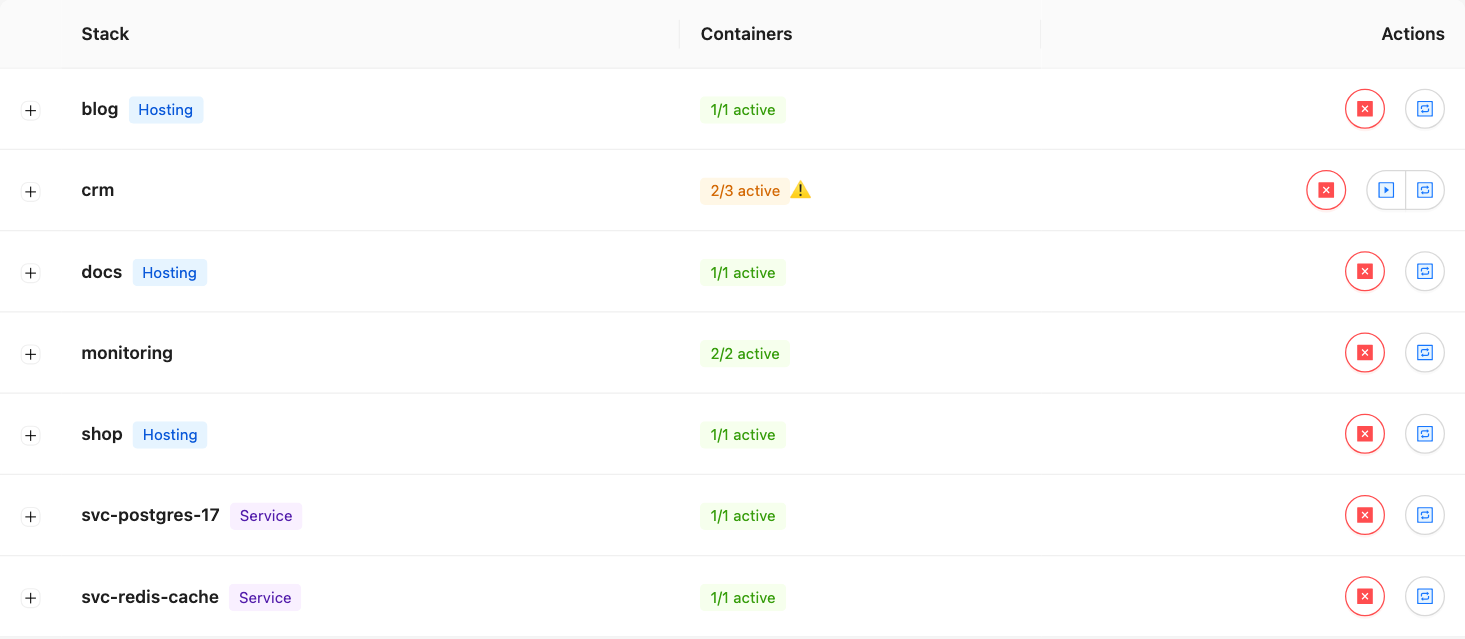
Act on a stack
- Open Containers and find the stack row.
- In the Actions column, click a button:
| Button | Shown when | Confirmation |
|---|---|---|
| Start the stack | At least one container is not running | No |
| Stop the stack | At least one container is running | Yes |
| Restart the stack | At least one container is running | Yes: its services are briefly unavailable |
A message confirms the result. If some containers fail, it says how many: for example 2 of 5 containers could not be processed.
How it works
- Containers start in dependency order (
depends_on) and stop in reverse order. Containers at the same level run in parallel. - Start skips containers already running; Stop skips those already stopped.
- One failure does not stop the other containers.
- With a user profile, only the containers granted to you are processed.
Good to know
- Containers under No stack have no compose project: act on them one by one.
- System containers and the panel's own API container are never processed.
- In the CLI:
loch stack start,loch stack stoporloch stack restart, with the stack name or the active namespace. See thelochCLI.