Scheduled tasks
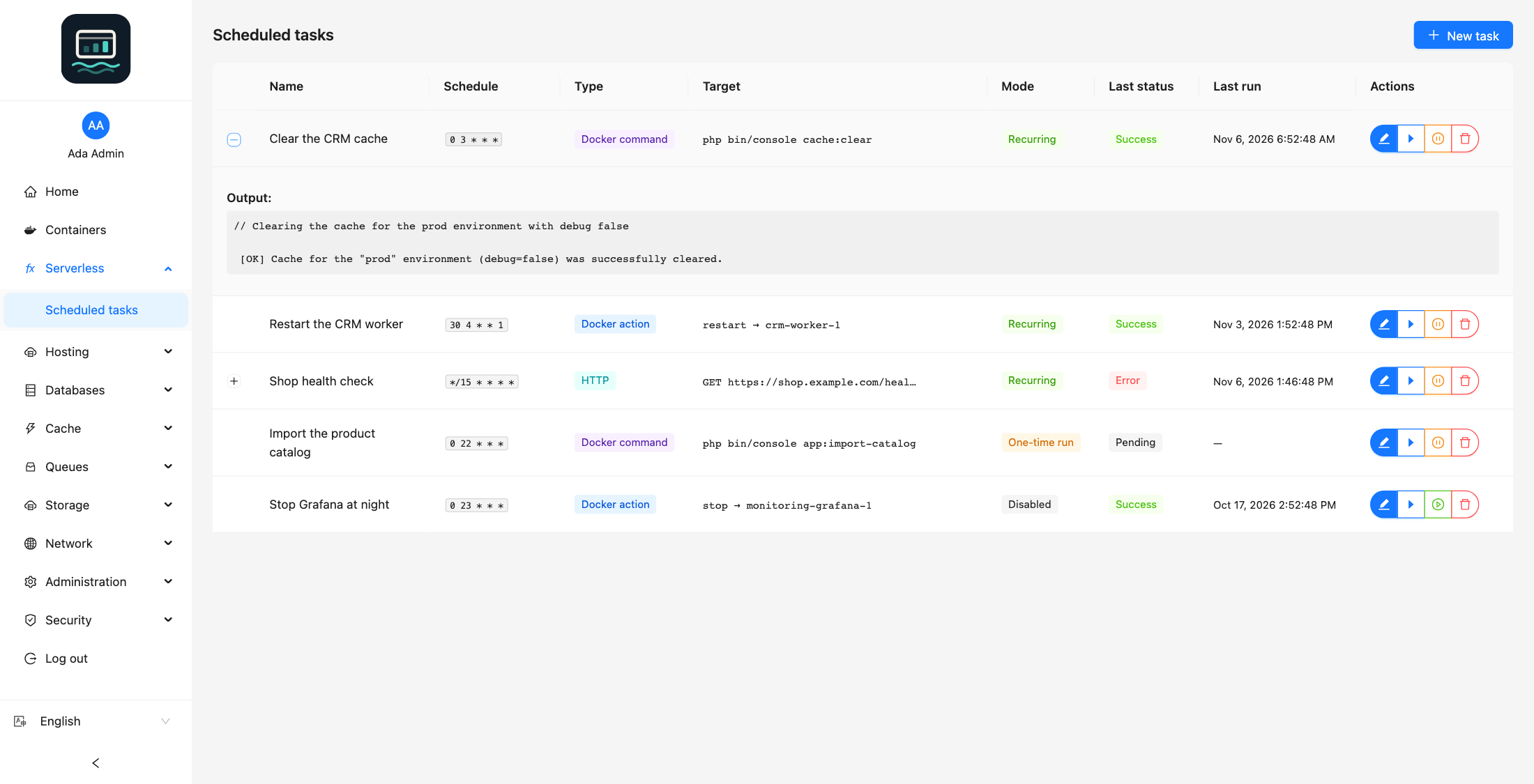
The Scheduled tasks page (menu Serverless) runs jobs on a schedule. Every user can use it.
Task types
| Type | What it does | Fields |
|---|---|---|
| Docker action | Starts, stops, restarts or kills a container | Container, Action |
| Docker command | Runs a command in a container | Container, Command, Working directory |
| HTTP | Sends an HTTP request | Method, URL, Request body, Timeout (seconds) |
| Function invocation | Invokes a function with a fixed event. Admin only, when the functions module is enabled | Function, Event (JSON) |
A function invocation keeps the status, duration and response size, never the response itself. The event is at most 64 KB ({} when empty), with at most 5 tasks per function. When the function is deleted, its tasks are Disabled by the panel: point them at another function or delete them.
Create a task
- Click New task.
- Fill in Name and Cron expression.
- Choose the Type and fill in its fields.
- Keep Enabled on. Turn on One-time run to disable the task after its first run.
- Click Create.
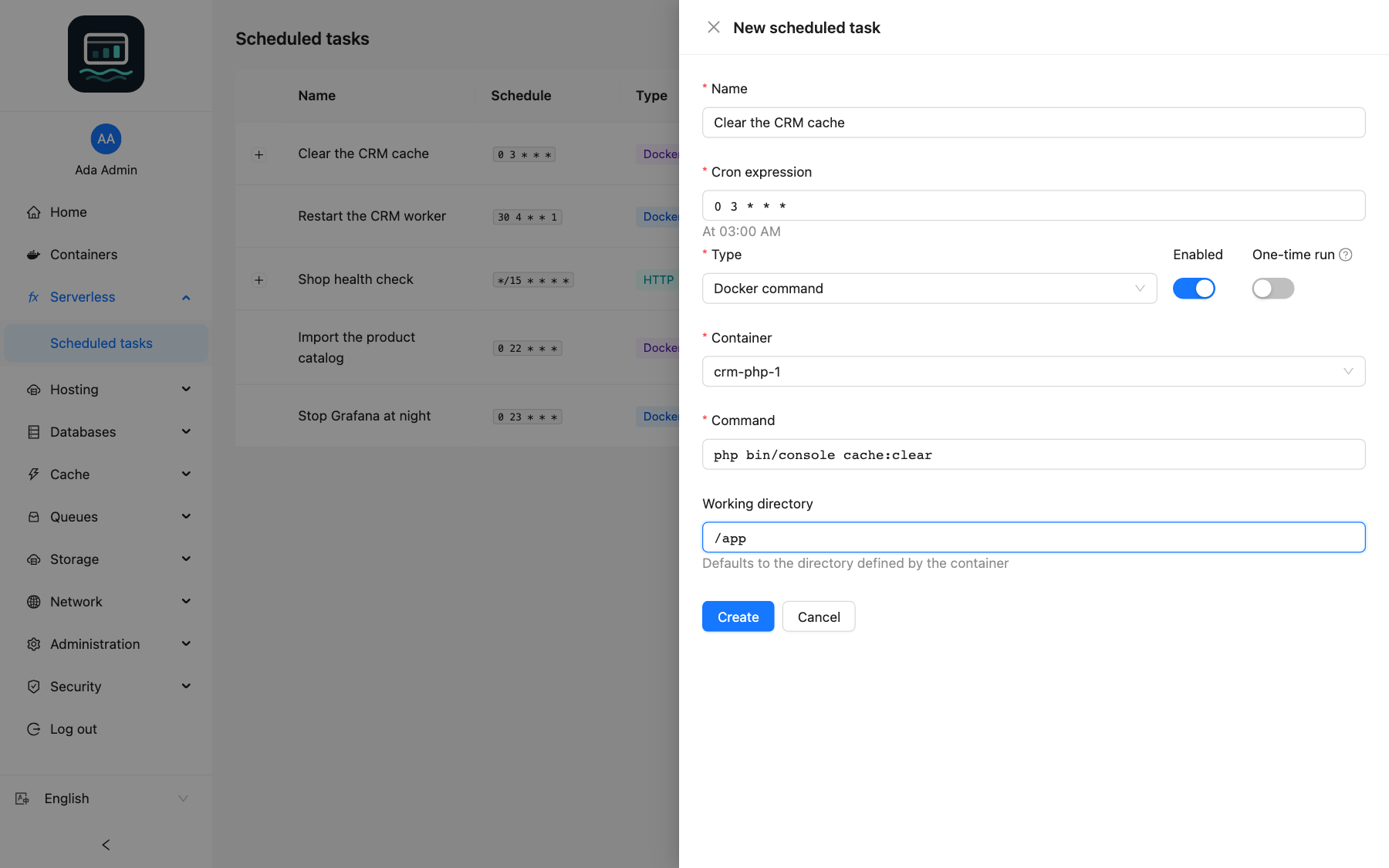
The cron expression has five fields, minute hour day month weekday, or a shortcut:
| Expression | Runs |
|---|---|
0 3 * * * | Every day at 03:00 |
@every 5m | Every 5 minutes (60 seconds minimum) |
@hourly, @daily, @weekly, @monthly, @yearly | Every hour, day, week, month or year |
Manage tasks
| Button | Effect |
|---|---|
| Edit | Opens the task form; save with Update |
| Run now | Runs the task at once |
| Suspend / Enable | Stops or resumes the schedule |
| Delete | Deletes the task, after confirmation |
Expand a row to see the Error: and Output: of the last run. A run never overlaps the previous one of the same task: it is skipped, and the row says when the last run was skipped.
What a user profile can do
- Create HTTP tasks, and Docker tasks on the containers granted to you only.
- See, edit and delete every HTTP task, whoever created it, and the Docker tasks of your containers.
- The error and output of the last run are shown to administrators only.
Good to know
- Command is split on spaces and run without a shell: quotes, pipes and
&&do not work. Put them in a script inside the container and runsh /path/to/script.sh. - HTTP tasks cannot reach private or internal addresses. In the form, Timeout (seconds) goes from 1 to 300.
- The output kept for a run is limited to 10 KB.
- Docker commands are refused on the panel's own API container, Docker actions and commands on function containers.
- The administrator sets the maximum number of tasks on the server (
CRON_MAX_JOBS). In the CLI:loch cron, see thelochCLI.